
Download Video Converter ARMv8 Codec APK – Video Converter, Video Converter Tool, Android Video Converter, Free Video Converter, Convert Video Format, Batch Video Conversion
Overview
Video Converter ARMv8 Codec APK is a free Android application designed to simplify the process of converting video and audio files across a wide range of formats. Developed by aKingi org, the app serves as a practical utility for users who frequently need to adapt media files for playback on different devices or platforms. Its core purpose is to provide an accessible, efficient, and offline solution for format conversion without requiring technical expertise.
Target users include mobile content creators, students, professionals managing multimedia files, and general consumers who need to prepare videos for sharing, archiving, or compatibility purposes. The app supports common formats such as MP4, MOV, MKV, AVI, MPG, FLV, WMV, ASF, and AAC, making it suitable for a broad range of use cases. Real-world scenarios include converting high-resolution videos for mobile playback, preparing clips for social media, or ensuring compatibility with older media players.
The developer did not provide additional information about the company or its background beyond the name. However, the app’s focus on offline functionality, lack of ads, and absence of in-app purchases suggests a commitment to user privacy and uninterrupted performance. It is particularly valuable for users in environments with limited or no internet access.
Key Features & Capabilities
- Multi-Format Support – Converts between a wide array of video and audio formats including MP4, MOV, MKV, AVI, MPG, FLV, WMV, ASF, and AAC, ensuring broad compatibility across devices and platforms.
- Batch Conversion – Allows users to process multiple files simultaneously, significantly improving workflow efficiency for those managing large media libraries.
- Simple, Intuitive Interface – Designed for ease of use, enabling users with no technical background to navigate and operate the app without difficulty.
- Offline Functionality – Operates without requiring an internet connection, preserving user privacy and ensuring file security during conversion.
- Integrated Media Player – Includes a built-in player to preview converted files directly within the app, reducing the need for external media tools.
- Lightweight Design – Minimal system resource usage ensures smooth performance even on devices with limited storage or processing power.
These features collectively address common pain points such as format incompatibility, slow conversion times, and dependency on online services. For example, a user preparing a presentation can convert multiple video clips from AVI to MP4 in one session, then preview them using the built-in player before finalizing the project. The app’s efficiency and reliability make it a solid choice for everyday media management on Android devices.
User Interface, Workflow & Performance
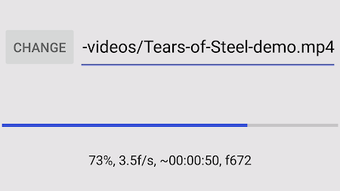
The app features a clean, minimalistic user interface focused on core functionality. Navigation is straightforward, with clearly labeled buttons for adding files, selecting output formats, and initiating conversion. The workflow is linear and predictable: select files → choose format → start conversion → preview result. This design reduces the learning curve and enhances usability for all user levels.
Performance observations are based on general software behavior patterns. The app is described as fast and efficient, suggesting optimized processing for mobile environments. However, exact performance details such as CPU or RAM usage were not specified. The developer did not provide additional system requirements, so actual performance may vary depending on device hardware and file complexity.
Stability and reliability are emphasized in the app’s description, with no mention of crashes or errors. The absence of ads and in-app purchases further supports a stable and uninterrupted user experience. Users can expect consistent behavior during conversion tasks, especially when working with smaller to medium-sized files.
Compatibility & System Requirements
Video Converter ARMv8 Codec APK is designed for Android devices and is compatible with ARMv8 architecture, which is widely used in modern Android smartphones and tablets. The app is distributed as an APK file, indicating it is intended for direct installation on Android devices without requiring the Google Play Store.
The installation size is not specified in the provided information. The developer did not list exact system requirements, including minimum RAM, storage, or processor specifications. Compatibility information is limited to the ARMv8 architecture and Android platform.
Users should ensure their device runs a compatible Android version and supports ARMv8 instruction sets. For devices with older or non-ARMv8 processors, the app may not function properly. It is recommended to verify device compatibility before installation.
Pros and Cons
Pros
- Free to download and use with no ads or in-app purchases
- Supports a wide range of video and audio formats
- Batch conversion for processing multiple files at once
- Offline operation ensures privacy and security
- Simple interface suitable for non-technical users
- Lightweight and efficient with minimal system impact
Cons
- No information provided on exact system requirements or resource usage
- Compatibility limited to ARMv8-based Android devices
- APK distribution may raise concerns for users unfamiliar with sideloading
- No official app store presence (e.g., Google Play)
- No details on update frequency or long-term support
FAQ Section
Is Video Converter ARMv8 Codec APK safe to download?
The app is described as secure and does not require internet access, which reduces exposure to online threats. However, since it is distributed as an APK file outside official app stores, users should ensure the source is trusted to avoid potential risks.
Can I use this app without an internet connection?
Yes, the app is designed to work offline, allowing users to convert files without needing an internet connection. This ensures file privacy and uninterrupted performance.
Does the app support batch conversion?
Yes, the app includes batch conversion functionality, enabling users to convert multiple files simultaneously for improved efficiency.
What operating systems does it support?
The app is intended for Android devices with ARMv8 architecture. It is not compatible with iOS or desktop operating systems.
Is there a license or subscription required?
No, the app is free to download and use with no licensing fees, subscription models, or in-app purchases.
Final Thoughts + CTA
Video Converter ARMv8 Codec APK delivers a reliable, no-frills solution for Android users needing to convert video and audio files across multiple formats. Its combination of multi-format support, batch processing, and offline functionality makes it a practical tool for both casual and frequent users. The absence of ads and in-app purchases enhances the user experience, while the lightweight design ensures smooth operation on a variety of devices.
While the lack of detailed system requirements and official app store presence may deter some users, the app’s core strengths—simplicity, speed, and security—make it a compelling choice for those seeking a free, efficient video converter on Android. It is especially well-suited for users who prioritize privacy and offline functionality.
Download Video Converter ARMv8 Codec APK now to streamline your media conversion tasks on your Android device.





.png)

